Build AI employees. Put them everywhere your team already works.
Agents that delegate to subagents, an agent you can install instead of build, a model you choose per agent instead of once for the whole workspace, and channels (Slack, WhatsApp, Telegram) where a human stays in the loop on anything that matters.
Give a job to something that can do it
An agent is an AI employee. Name it, write the system prompt that sets how it behaves, connect the skills and tools it needs, and it works in your systems, on a schedule or the moment a message comes in, then reports back when it should.
Read the docs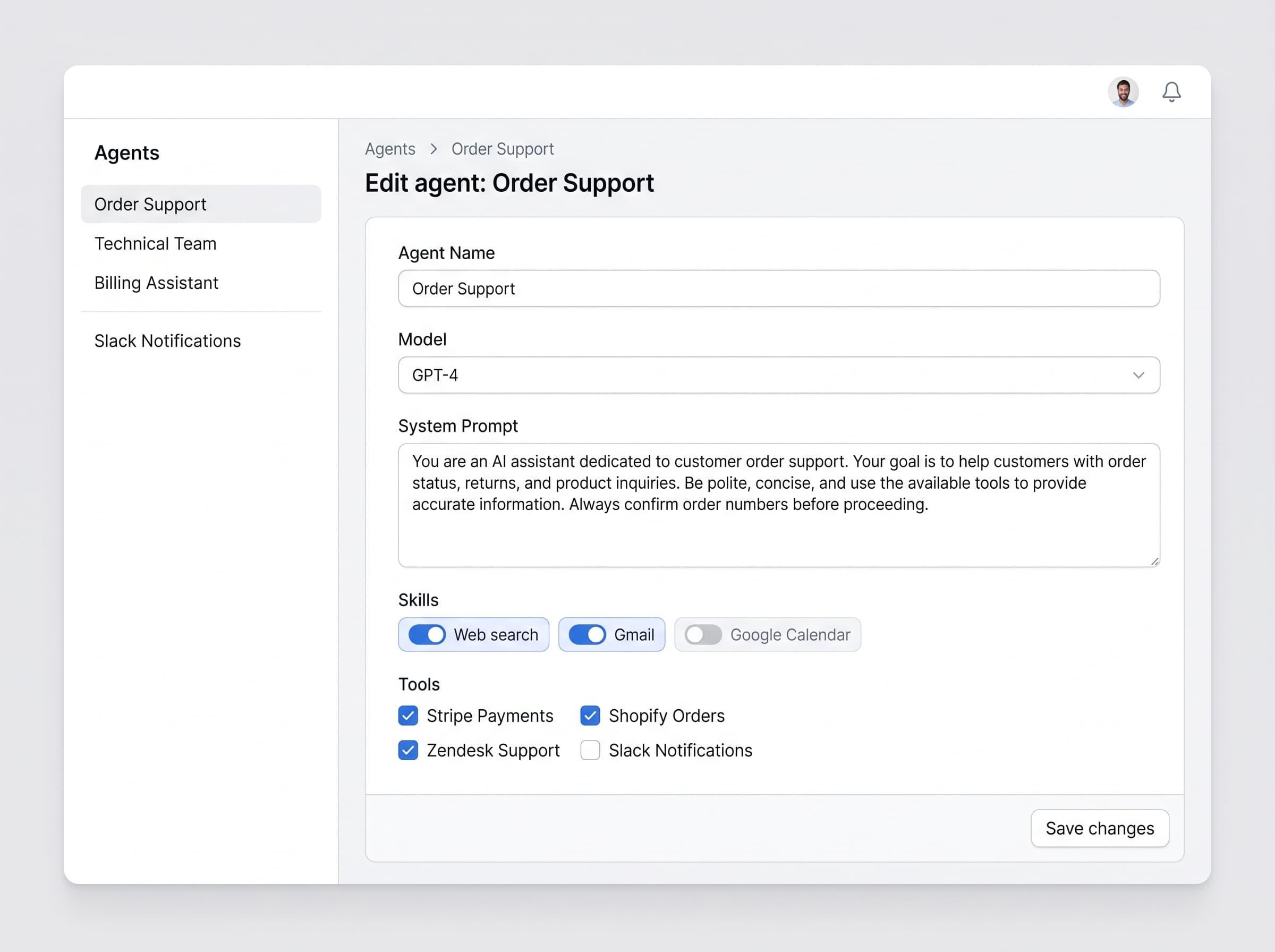
One agent rarely should do everything
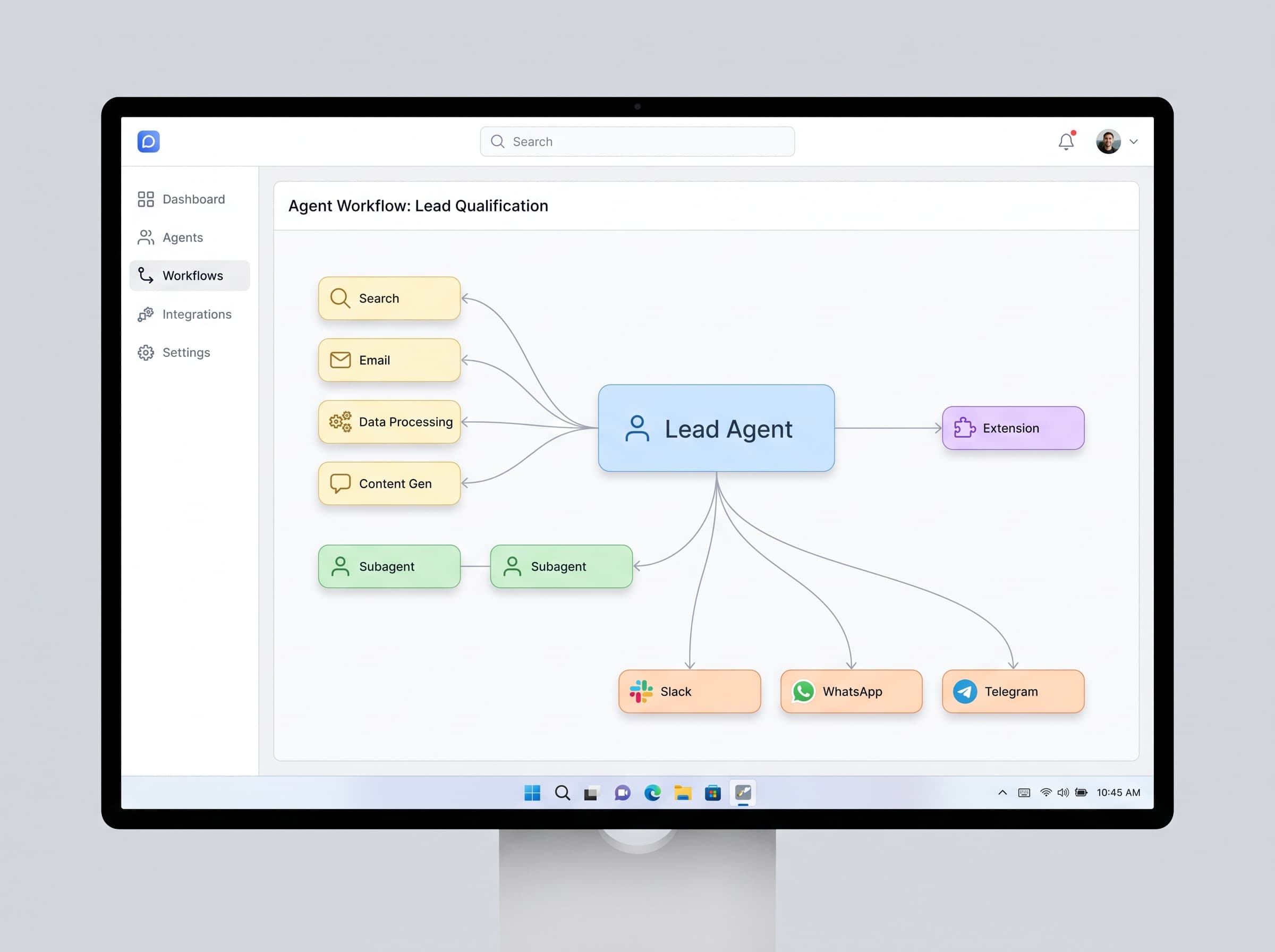
A subagent is a specialist a lead agent hands part of a job to. A lead agent handling an order can pass the stock check to one subagent and the customer reply to another, then merge the results before it answers. Narrow roles do better work than one agent trying to be the whole team.
Install an agent someone already built
Browse the marketplace for ready-made agents: support triage, lead qualification, invoice processing, organized by category. Install one into your workspace, connect the accounts it needs, and it is running; you are not writing a system prompt from a blank page.
Browse the marketplace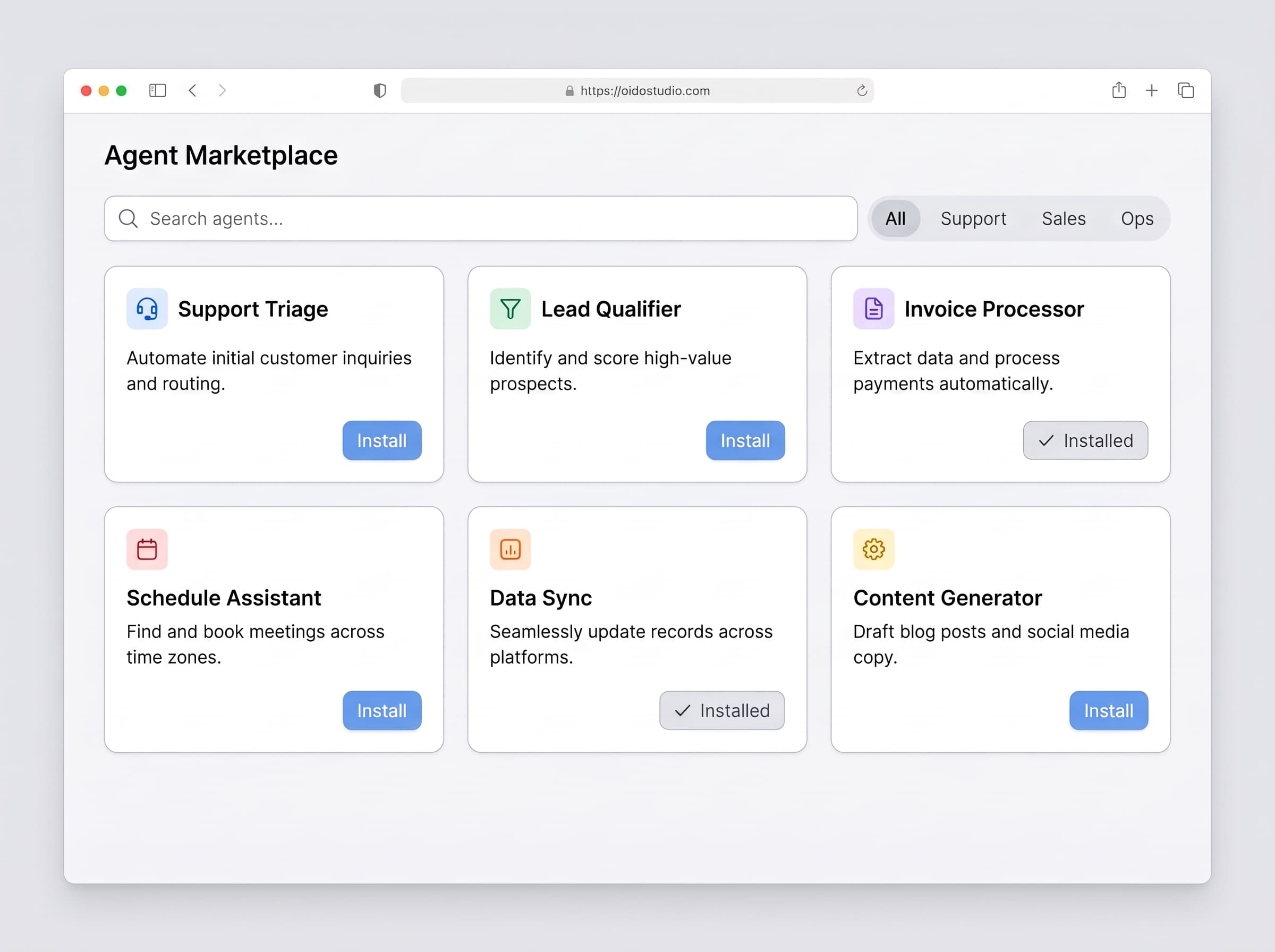
Pick the model for the job, not for the platform
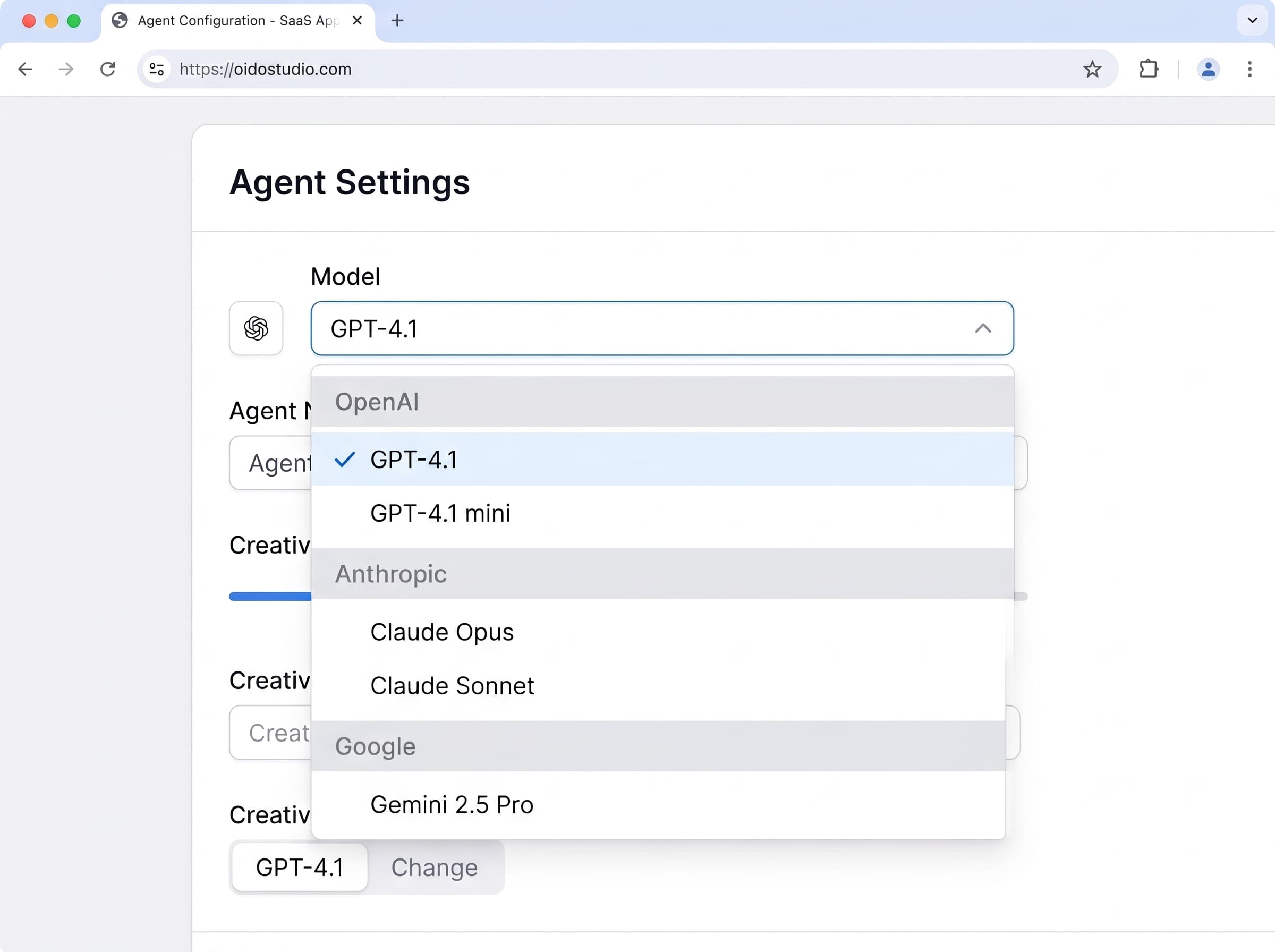
Connect your own OpenAI, Anthropic and Google accounts and choose a model per agent, not once for the whole workspace. Run a triage agent on something fast and cheap and your drafting agent on your best model. Spend stays on your bill, and switching providers never means rebuilding the agent.
Your team already talks somewhere. Put agents there instead of a new tab
Slack, WhatsApp, Telegram, Discord, email: each channel decides who can message an agent and which model and instructions it uses there. Mark a step as needing approval and the agent stops and asks a person in that same channel before it sends the refund, posts the reply, or changes the order: human in the loop, not a black box.
Turn the channel into a bot customers message directly
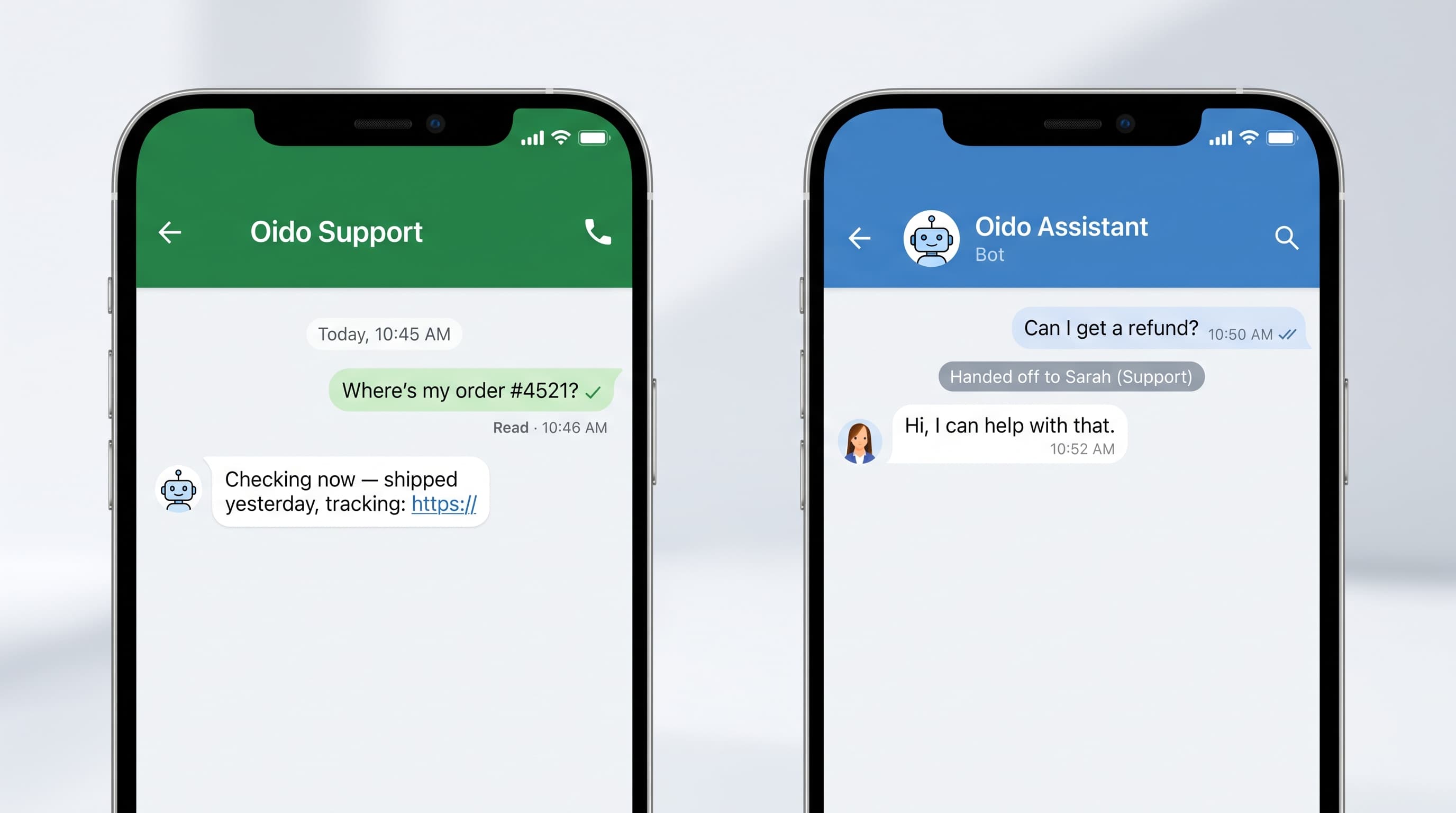
The same agent that answers your team in Slack can run as the WhatsApp number or Telegram bot your customers message. It replies, escalates what it should not decide alone, and hands off to a person mid-conversation without the customer starting over.
Connect it to whatever your business already runs on
MCP is the open standard agents use to reach tools and data: connect a tool once over MCP and every agent can use it, whichever model is underneath. When no standard connector exists, we build an extension into your ERP, warehouse system or internal API, and your agents work in it like any other tool.
See integrations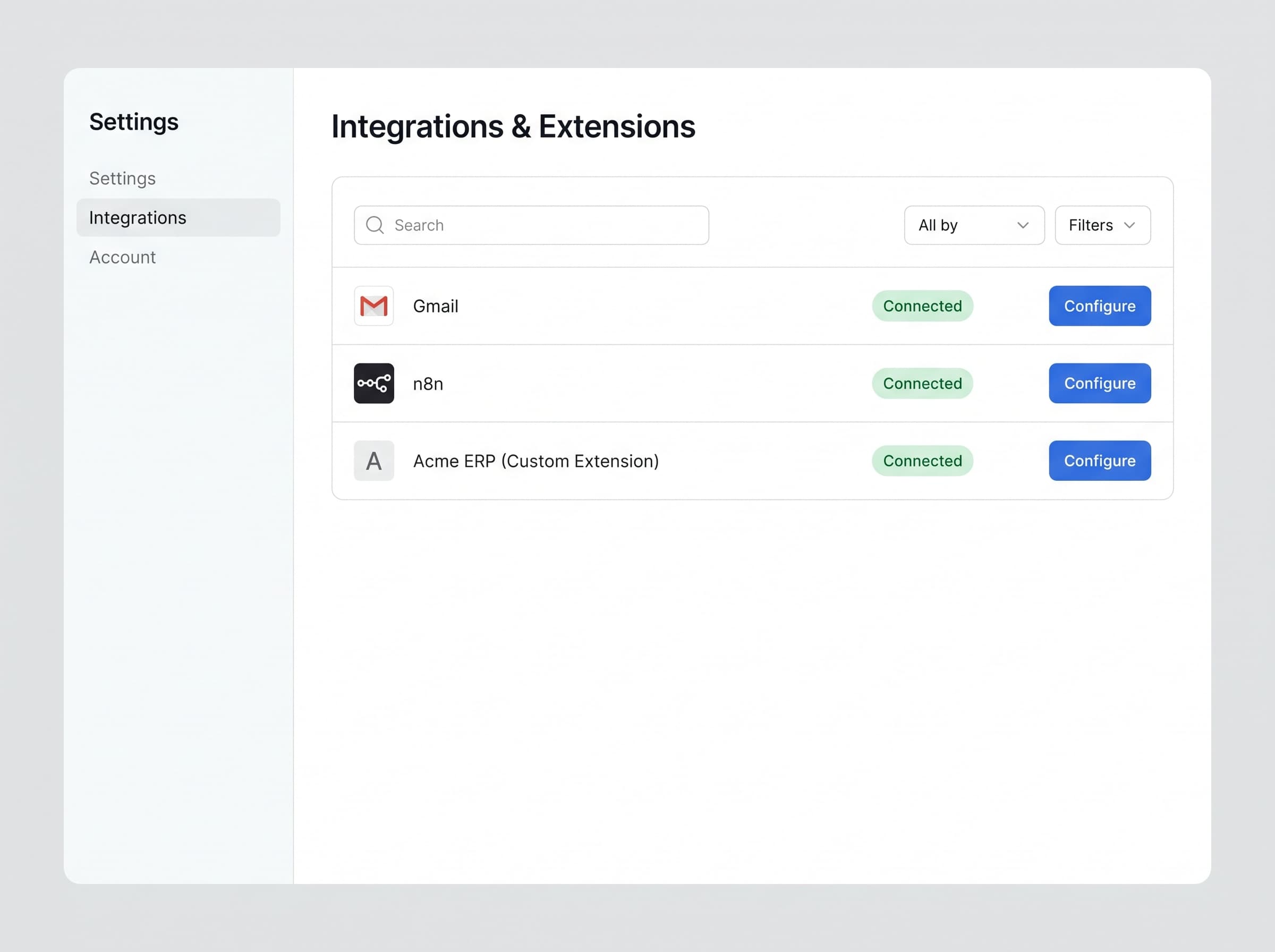
Two ways to put this to work
The product is a cloud app your team builds AI employees in. The service is our team building them with you. Same platform underneath, so whichever you start with, you are never in the wrong place.
Build them yourself
- For
- Teams who want to start this afternoon
- You do
- Connect your tools and describe the job in plain language
- We do
- Run the app, keep it up, stay out of your way
- Works in
- Gmail, Slack, WhatsApp, your CRM, your database
- First result
- The same afternoon
- Runs on
- Our cloud, or your own on Enterprise
- Price
- Free to start, then one flat price for the team
Have us build them
- For
- Teams who know AI should help but not where to start
- You do
- Show us how the work happens today
- We do
- Map it, build the first agents, train your people
- Works in
- The above, plus systems no connector has heard of
- First result
- About six weeks
- Runs on
- Our cloud or your infrastructure
- Price
- Free process review, then scoped per project
One flat price covers the whole team either way, not per seat and not per task. See the plans.
What everything in the app means
Ten terms cover the whole product. You do not need any of them to get started, but this is what they mean when you meet them.
- What is an agent?
- An AI employee. You give it a job, the tools to do it, and the rules it works under. It reads what comes in, decides what to do, does it in your systems, and comes back to you when it should.
- What is a subagent?
- A specialist an agent hands part of a job to. A lead agent handling an order can pass the stock check to one subagent and the customer reply to another, then pull the results together. Narrow roles do better work than one agent trying to be everything.
- What is the marketplace?
- A catalog of ready-made agents you can install into your workspace instead of building one from a blank system prompt. Install one, connect the accounts it needs, and it runs.
- What are providers?
- The AI companies whose models run your agents, such as OpenAI, Anthropic or Google. You connect your own accounts and pick a model per agent, so model spend stays on your bill and you can switch without rebuilding anything.
- What are channels?
- The places your team and customers talk to an agent: Slack, WhatsApp, Telegram, Discord, email. Each channel decides who is allowed to message the agent and which model and instructions it uses there.
- What is a system prompt?
- The standing brief for an agent: who it is, what it must never do, how it should sound. It applies to every task in that role, so you write the rules once instead of repeating them in each request.
- What are skills?
- Ready-made abilities you attach to an agent, like web search, Gmail, Google Calendar or n8n. Attach a skill and the agent can do that thing; leave it off and it cannot. You can write your own.
- What are extensions?
- Connectors we build and maintain for systems the standard ones do not cover, your ERP, your warehouse database, an internal API. You install one, put in your credentials, and your agents can work in that system. Credentials are stored encrypted.
- What is MCP?
- The open standard agents use to reach tools and data. Connect a tool once over MCP and any agent can use it, whichever model is running underneath. It is the reason adding a new system is a connection rather than a rebuild.
- What is the wiki?
- Your knowledge base inside Oido. Agents read it to answer accurately, and write to it as they learn, so what one agent works out is available to the rest instead of being lost in a chat.
Longer definitions live in the glossary, and the docs cover how to set each one up.
For when you would rather not do it yourself
None of this is required. The app works on its own and most teams get going without us. These exist because knowing AI should be doing something and knowing where to start are two different problems, and because some businesses run on systems no connector has ever heard of.
We build the first ones
Our team sits with yours, finds the jobs eating the most hours, builds those agents against real work, then teaches your people to ship the next ones. First results in about six weeks. Book a process review.
Custom integrations
When no connector exists, we write one, an MCP extension into your internal API, your legacy ERP, your POS. This is how three of our four case studies work. Integrations.
n8n setup & hosting
n8n is built into the product. If you want it run properly, hosted, upgraded and watched, we do that too. n8n services.
Enterprise deployment
Self-hosted or private cloud, security review, approval policy, and a person who already knows your setup when something breaks on a Friday. Enterprise.